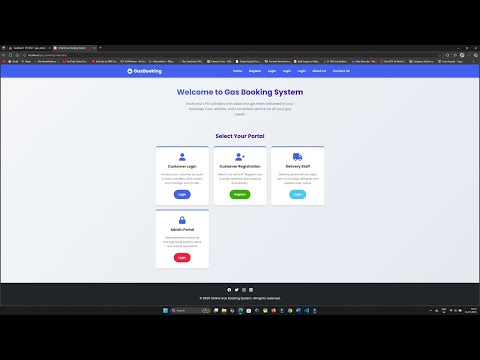
Welcome to the complete Online Gas Booking System package. This document explains everything you need to install, configure, and test the project on your own computer. If you follow the steps below exactly, the site will be up and running in minutes.
1. System Requirements
| Requirement | Minimum Version |
| PHP | 7.2 or higher |
| MySQL / MariaDB | 10.1 or higher |
| Web Server | Apache (bundled with XAMPP/Wamp) |
| Browser | Latest Chrome / Edge / Firefox |
2. Installation Guide (XAMPP)
- Install XAMPP server and start Apache & MySQL.Download from https://www.apachefriends.org/index.html
- Copy the entire 'gas_booking_system' folder into C:\xampp\htdocs\
- Open http://localhost/phpmyadmin, click 'Databases', and create a new DB named gas_booking_system.
- Select the new DB, click 'Import', choose gas_booking_system.sql, and press 'Go'. This will create all tables and seed default data.
- Open db.php and ensure these credentials match your environment:
host: localhost
dbname: gas_booking_system
username: root
password: (leave blank) - Run the project in your browser: http://localhost/gas_booking_system/
3. Default Login Details
| Role / Page | Username / Email | Password |
| Admin (/admin/) | [email protected] | Password |
| Delivery Staff (/delivery/) | [email protected] | password |
| User (/user/) | [email protected] | Ram123 |
4. Database Design (high‑level)
| Table | Purpose | Key Columns (excerpt) |
| users | Stores all accounts (admin, user, delivery) | id, name, email, password, role |
| bookings | Gas cylinder orders | id, user_id, quantity, booking_date, status |
| delivery_assignments | Mapping bookings ⇢ delivery staff | id, booking_id, delivery_id, assigned_on |
| payments (optional) | If you enable online payments later | id, booking_id, amount, txn_id, paid_on |
5. Usage Workflow
- User logs in, books a cylinder, and receives a booking ID.
- Admin sees 'Pending' bookings and assigns a Delivery Staff member.
- Delivery Staff logs in, marks order as 'In Transit' or 'Delivered'.
- User dashboard displays live status updates.
6. Customization Tips
- Replace assets/images/logo.png and edit partials/header.php to change branding.
- Status labels (Pending, Confirmed, Delivered) are defined in config/constants.php.
- Add more delivery staff by inserting new rows in the users table with role = delivery.
- Enable PDF invoice generation by uncommenting code in admin/view-booking.php and adding the TCPDF library.
7. Troubleshooting
| Issue | Fix |
| Blank page / error 500 | Enable error reporting in php.ini or add ini_set("display_errors", 1); at the top of index.php. |
| SQLSTATE[42S22] Unknown column | Make sure you imported this SQL file and not an older dump. |
| Login fails for all roles | Verify passwords are hashed; reset via phpMyAdmin using password_hash(). |
8. Need Help or Custom Features?
Email: [email protected]
WhatsApp: +91-7000830947
Website: https://projectworlds.com
Buy Source Code ₹501
Demo Video