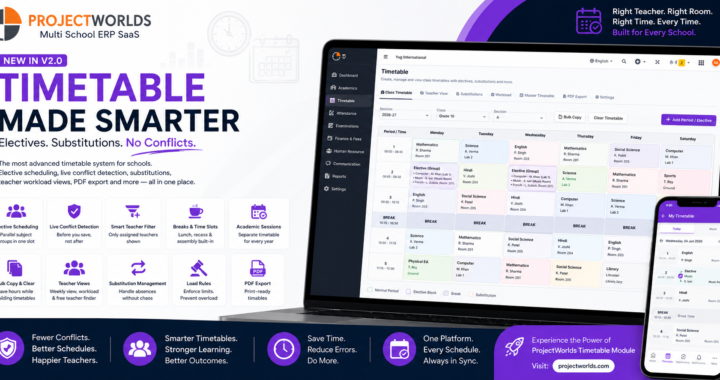
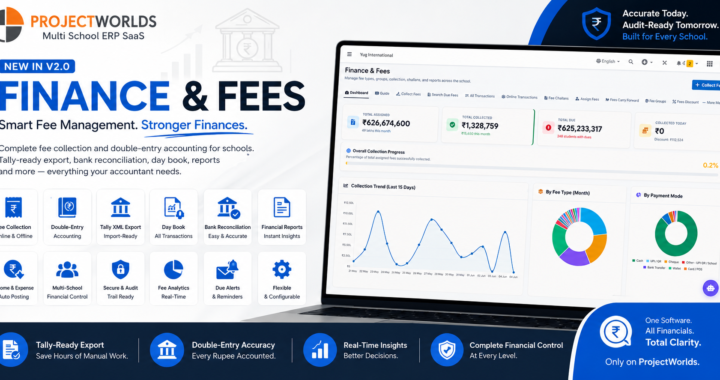
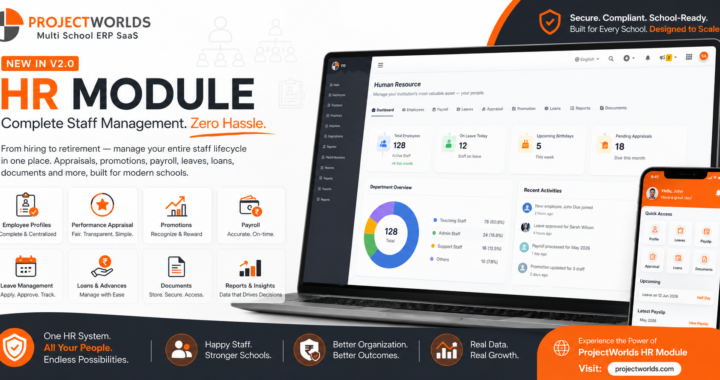
Schools don't just need management — they need power tools. While the core ERP handles daily operations like attendance, fees, and timetables, teachers and administrators constantly need specialized utilities: generating exam papers, analyzing results, arranging seating plans, and building reports.
Today, we're launching the Apps Center — an extensible power tools layer built directly into the ProjectWorlds Multi School ERP V2.0. And the first tool to ship? The Question Paper Generator (QPG) — a complete, end-to-end exam paper creation system with PDF templates, booklet printing, and Excel import.
🏪 What Is the Apps Center?
Think of the Apps Center as the App Store of your school system. It's a curated gallery of specialized tools that:
- ✅ Read existing school data — classes, subjects, students, marks — without duplicating anything
- ✅ Never interfere with core modules — enable or disable tools freely
- ✅ Grow over time — new tools plug in cleanly without touching the base system
- ✅ Respect role-based access — teachers see teacher tools, admins see everything
The Gallery Experience
The Apps Center features a premium, modern gallery interface:
- 🎨 Dark gradient hero banner with real-time tool statistics (Active / Coming Soon / Total)
- 🔍 Instant search — filter tools by name or description in real-time
- 🏷️ Category pill filters — Academic, Insights, Utility, Analytics
- 🎯 Gradient icon cards — each category has its own unique color scheme
- ✨ Hover animations — cards lift and glow on mouse-over for a premium feel
The Apps Center is designed to feel like a premium app marketplace, not a boring admin menu.
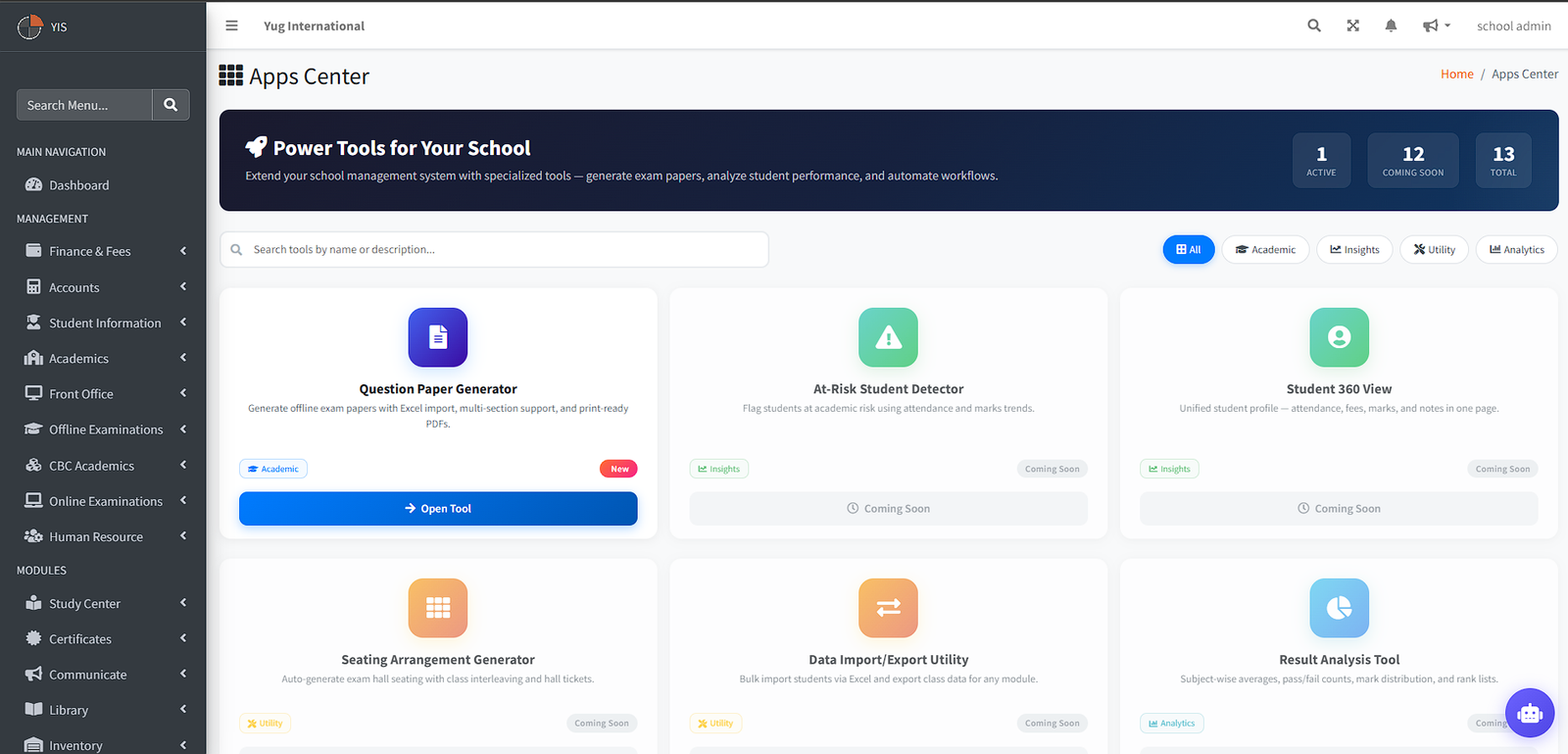
Apps Center Gallery — Premium dark gradient hero banner with tool statistics and category-filtered tool cards
Apps Center — Full tool catalog with 13 tools across 4 categories
📝 Question Paper Generator (QPG) — Deep Dive
The Question Paper Generator is the first production tool in the Apps Center. It lets teachers and exam coordinators create professional, print-ready exam papers in minutes — not hours.
The Problem It Solves
Every school faces the same exam-season nightmare:
- Teachers manually type papers in Word/Google Docs
- No standardized formatting across subjects
- Impossible to reuse questions across years
- No answer keys generated automatically
- Printing wastes paper — no booklet/2-up options
- Zero traceability of who created what
The QPG solves all of this.
QPG Dashboard
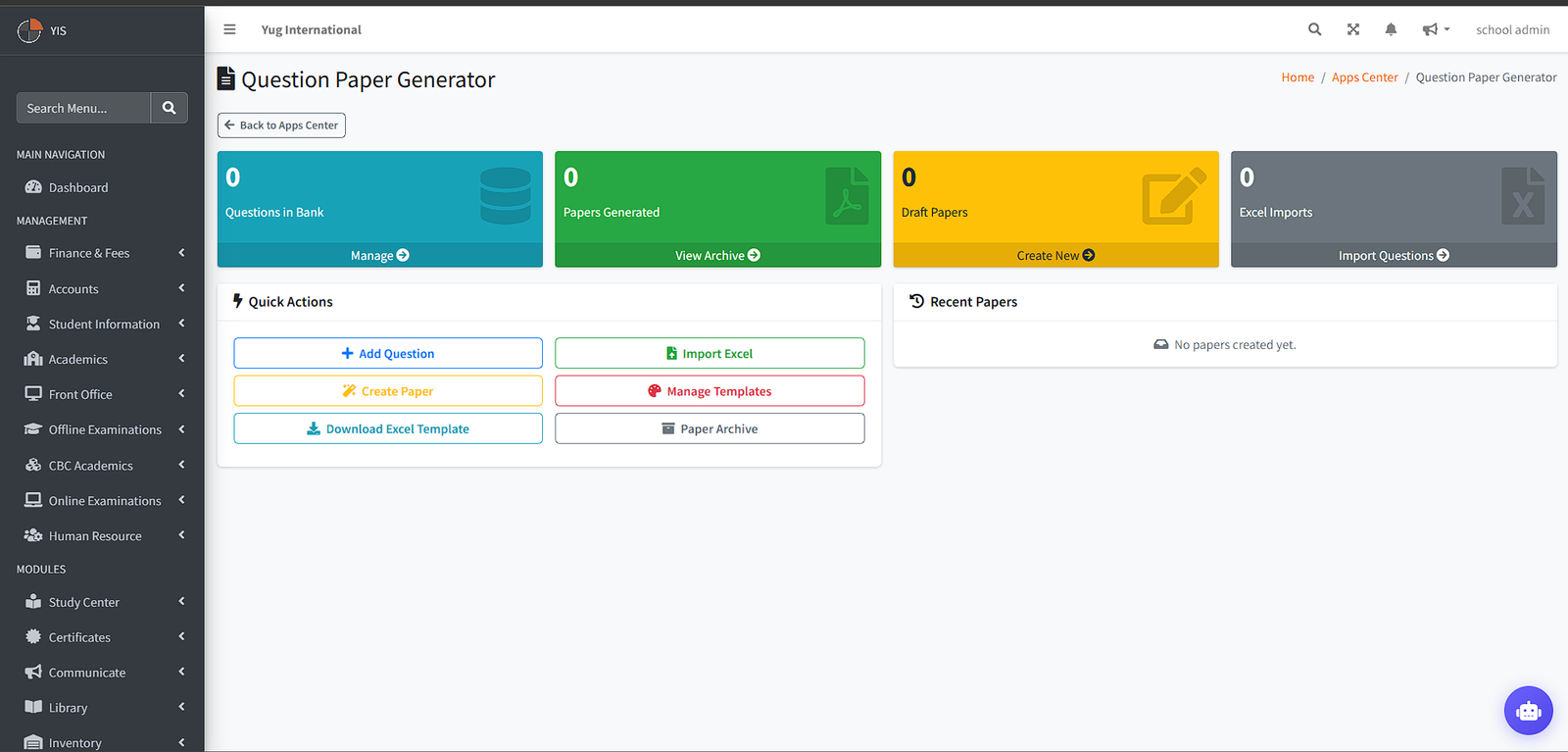
QPG Dashboard — One-glance overview with stats, quick actions, and recent papers
🧙 The 4-Step Wizard
Creating a paper follows an intuitive 4-step wizard:
Step 1: Paper Setup
| Field | Description |
|---|---|
| Title | e.g., "Mathematics — Annual Examination 2026" |
| Class | Select from your school's existing classes |
| Subject | Select from assigned subjects |
| Exam Type | Unit Test, Mid-Term, Annual, Practice, etc. |
| Total Marks | Auto-calculated from sections |
| Duration | In minutes |
| Instructions | General instructions printed on the paper |
| Template | Choose a PDF template (CBSE Standard, Unit Test Compact, or custom) |
Step 1: Paper Setup — Define the paper's metadata and choose a template
Step 2: Sections Builder
Define the paper structure — as many sections as needed:
| Section | Type | Marks/Q | Count | Total |
|---|---|---|---|---|
| A | MCQ (Multiple Choice) | 1 | 10 | 10 |
| B | Short Answer | 3 | 5 | 15 |
| C | Long Answer | 5 | 5 | 25 |
| D | Case-Based | 4 | 2 | 8 |
- Each section has its own label (A, B, C...), title, question type, and per-section instructions
- Marks are auto-summed and validated against the total

Step 2: Sections Builder — Define paper structure with multiple sections
Step 3: Question Assignment
This is where the magic happens. For each section:
- 📚 Question bank filtered by subject, class, and question type
- 🔢 Live counter: "Selected: 7 / 10 required" — updates in real-time
- ✅ Pre-checked state: Previously assigned questions are already ticked
- 👁️ Inline MCQ preview: See all options (A, B, C, D) directly in the picker
- 🏷️ Difficulty badges: Easy / Medium / Hard tags on each question
- 📄 Chapter grouping: Questions organized by chapter/topic
Step 3: Question Assignment — Smart question picker with live counters and inline MCQ previews
Step 4: Preview & Generate
- Full paper preview with all sections, questions, and marks
- One-click PDF generation — paper + answer key generated simultaneously
- Three download options:
- 📄 Standard PDF — normal A4 portrait
- 📖 Booklet PDF — saddle-stitch imposed for fold-and-staple printing
- 🔑 Answer Key — separate PDF with correct answers highlighted
Step 4: Preview & Generate — Full paper preview with standard, answer key, and booklet download options
📥 Excel Import — Bulk Question Upload
Don't want to add questions one by one? Import hundreds at once:
- Download the template — pre-formatted Excel file with columns for question text, type, marks, options, correct answer, chapter, and difficulty
- Fill it in — teachers can prepare questions in Excel offline
- Upload & validate — the system checks for duplicates, missing fields, and format errors
- Instant import — questions appear in the bank immediately, ready for paper assignment
Excel Import — Bulk upload questions with automatic validation
Pro tip: Share the Excel template with your entire teaching staff. Each teacher fills in their subject's questions. The exam coordinator imports them all and builds papers in minutes.
🎨 PDF Template Management
Every school has its own visual identity. The QPG includes a full template management system:
System Templates (Included)
| Template | Style | Font | Best For |
|---|---|---|---|
| CBSE Standard | Formal, dark navy header | Times New Roman, 11pt | Board exams, annual exams |
| Unit Test Compact | Minimal, green accent | Arial, 10pt | Weekly tests, quizzes |
Template Gallery

Template Gallery — Visual template cards with mini-previews, badges, and color swatches
Template Preview
Each template has a full-page preview showing:
- Realistic paper mockup with your school's actual logo, name, and address
- Sample questions rendered with the template's exact colors, fonts, and spacing
- Configuration summary sidebar showing all active settings
Template Preview — Full-size paper mockup with your school's branding and configuration summary
Template Editor Features
- 🎨 Color pickers — header background, header text, section dividers, body text
- 🔤 Typography controls — font family (6 options), question font size, heading font size, line spacing
- 📐 Layout toggles:
- Show/hide cover header
- Show/hide marks breakup table
- Show/hide per-section instructions
- Page break between sections
- Logo position (left / center / right)
- Watermark toggle
- 👁️ Sticky live preview — changes reflect instantly in a side panel as you adjust settings
- 🏫 School logo & address — automatically pulled from school settings and rendered in the header
- 🔒 System template protection — editing a system template automatically creates a custom copy; originals are never modified
Template Editor — Color pickers, typography controls, and sticky live preview panel with school logo
📖 Booklet Printing — Fold & Staple
This is the feature teachers didn't know they needed. The Booklet PDF rearranges your paper's pages into saddle-stitch imposition order:
How It Works
Standard PDF:  Page 1, 2, 3, 4, 5, 6, 7, 8

Booklet PDF:   Sheet 1 Front: [8, 1]
               Sheet 1 Back:  [2, 7]
               Sheet 2 Front: [6, 3]
               Sheet 2 Back:  [4, 5]
How to Print
- Download the Booklet PDF from the paper preview page
- Print double-sided (flip on short edge)
- Fold all sheets together in half
- Staple along the spine
- ✅ You now have a professional exam booklet
Benefits
- 📄 50% paper savings — 2 pages per side
- 📖 Professional appearance — looks like a real exam booklet
- 🏫 No special printer needed — works with any duplex printer
- 🔧 Powered by FPDI — open-source PDF manipulation, zero licensing cost
Booklet PDF Download — One-click booklet generation with print instructions
📦 Paper Archive
All created papers are stored in a searchable archive:

Paper Archive — Full history with status badges and quick action buttons
| Action | Icon | Description |
|---|---|---|
| 👁️ View | Eye | Preview the paper content |
| ✏️ Edit | Pencil | Return to sections wizard |
| ⬇️ Download PDF | Green arrow | Download standard A4 paper |
| 📖 Booklet | Blue book | Download booklet-imposed PDF |
| 🗑️ Delete | Red trash | Remove paper (with confirmation) |
📊 Question Bank Management
The QPG includes a dedicated question bank — completely separate from the Online Exam module:
| Feature | Description |
|---|---|
| Add questions | Manual form with rich text, MCQ options, correct answer marking |
| Question types | MCQ, Short Answer, Long Answer, True/False, Fill in the Blanks, Case-Based |
| Metadata | Chapter, topic, difficulty level (Easy/Medium/Hard), marks |
| Bilingual support | English + Hindi text fields (template-driven rendering) |
| Search & filter | By subject, class, chapter, type, difficulty |
| Excel import | Bulk upload with validation |
| Isolated storage | QPG questions are stored in their own tables — zero interference with Online Exams |
Question Bank — Searchable, filterable question repository with difficulty badges
🔮 Coming Soon — The Apps Center Roadmap
The QPG is just the beginning. Here's what's next:
| Tool | Category | Description | ETA |
|---|---|---|---|
| At-Risk Student Detector | 📊 Insights | Flag students at academic risk using attendance and marks trends | Q3 2026 |
| Student 360 View | 📊 Insights | Unified student profile — attendance, fees, marks, and notes in one page | Q3 2026 |
| Seating Arrangement Generator | 🔧 Utility | Auto-generate exam hall seating with class interleaving and hall tickets | Q3 2026 |
| Data Import/Export Utility | 🔧 Utility | Bulk import students via Excel and export class data for any module | Q3 2026 |
| Result Analysis Tool | 📈 Analytics | Subject-wise averages, pass/fail counts, mark distribution, and rank lists | Q4 2026 |
| Syllabus Completion Tracker | 🎓 Academic | Track chapter-wise syllabus completion per subject per class | Q4 2026 |
| Lesson Plan Builder | 🎓 Academic | Create structured digital lesson plans with objectives and assessments | Q4 2026 |
| Academic Calendar Builder | 🎓 Academic | Visual planner for the school year — holidays, exams, events, and PTM days | Q4 2026 |
| Class Health Dashboard | 📊 Insights | One-page overview: attendance, marks, fees, and at-risk count per class | Q4 2026 |
| Fee Collection Forecast | 📈 Analytics | Forecast monthly fee collection based on historical payment patterns | 2027 |
| Year-End Promotion Assistant | 🔧 Utility | Automatic pass/fail/compartment recommendations based on thresholds | 2027 |
| Parent Engagement Score | 📈 Analytics | Measure parent activity: app logins, fee payments, PTM attendance | 2027 |
🛠️ Technical Architecture
For developers and technical buyers:
| Component | Detail |
|---|---|
| Framework | Laravel 12 (PHP 8.3+) |
| PDF Engine | DomPDF for generation, FPDI for booklet imposition |
| Data Isolation | QPG uses its own qp_* tables — never writes to core tables |
| Access Control | Spatie Permissions with apps_center module key |
| Template Config | JSON column with nested config (colors, typography, layout) |
| File Storage | Laravel Storage disk — papers saved as qpg/papers/{school_id}/{paper_id}/ |
| Queue Support | PDF generation can be dispatched to queue for high-volume schools |
| Extensibility | New tools register via AppsRegistry — add a config entry and a controller, done |
Adding a New Tool (Developer Guide)
// 1. Register in AppsRegistry
'my_new_tool' => [
    'name'        => 'My Custom Tool',
    'description' => 'Does something amazing',
    'icon'        => 'fas fa-magic',
    'category'    => 'utility',
    'route'       => 'school.apps.my-tool.index',
    'status'      => 'active',
    'roles'       => ['school_admin', 'teacher'],
],

// 2. Create your controller under App\Apps\Tools\MyTool\Controllers\
// 3. Add routes in routes/apps.php
// 4. Create your views in resources/views/apps/tools/my-tool/
// Done. It appears in the gallery automatically.
🎯 Who Is This For?
| User | Benefit |
|---|---|
| Teachers | Create exam papers in 10 minutes instead of 2 hours |
| Exam Coordinators | Standardized formatting across all subjects and classes |
| Principals | Review and approve papers before printing |
| School Admins | Control template branding, manage question banks |
| SaaS Operators | Offer premium "Apps Center" tools as upsell features |
📋 Quick Start Guide
For School Admins
- Navigate to the Apps Center from the sidebar menu
- Open the Question Paper Generator
- Import questions — download the Excel template, fill in questions, and upload
- Create a paper — follow the 4-step wizard
- Customize templates — adjust colors and fonts to match your school branding
- Generate & download — standard PDF, answer key, or booklet format
For Teachers
- Open the QPG from the Apps Center
- Click "Add Question" to build your question bank by subject
- Or use "Import Excel" for bulk upload
- Click "Create Paper" and follow the wizard
- Assign questions from your bank to each section
- Generate the PDF and download
For SaaS Operators
The Apps Center is included in the base package. To monetize:
- Gate specific tools behind subscription tiers using the existing plan system
- Coming-soon tools can be promoted as "Premium" features
- Template customization adds perceived value for higher-tier plans
💳 Included in ProjectWorlds Multi School ERP V2.0
The Apps Center and Question Paper Generator are included at no extra cost with the V2.0 source code purchase.
| What You Get | ✅ |
|---|---|
| Apps Center framework with 13 tools | Included |
| Question Paper Generator (fully functional) | Included |
| 2 PDF templates (CBSE Standard + Unit Test) | Included |
| Template editor with live preview | Included |
| Booklet printing (FPDI) | Included |
| Excel question import | Included |
| Question bank management | Included |
| 100% unencrypted source code | Included |
| 1 year updates & support | Included |
🚀 Get Started Today
- Price: ₹11,999/- (One-time Payment)
- WhatsApp: +91 6263056779
- Email: [email protected]
- Website: www.projectworlds.com
- Live Demo: multischoolv2.projectworlds.com